

Raise a collection request
Plan a collection ahead of time and assign it to a rep to execute — “collect X from customer Y by date D” — instead of waiting for the rep to record it on their own.
Before you start
Section titled “Before you start”- You need the
sales:collections:requests/createpermission. - The person you assign the request to must hold a role that is allowed to be assigned collection requests. If they do not appear in the assignee list, ask your administrator to check their role.
- Open Collection Requests and choose New Collection Request.
- Enter the amount, method, the customer, a due date, and optionally a note.
- Pick the assignee — the rep who will execute the request.
- Choose Save. The rep now sees the request and can collect against it from their side.
- When the rep collects, the request shows the resulting collection under Related Collections, and closes automatically once your workspace’s auto-close rules are met.
What can go wrong
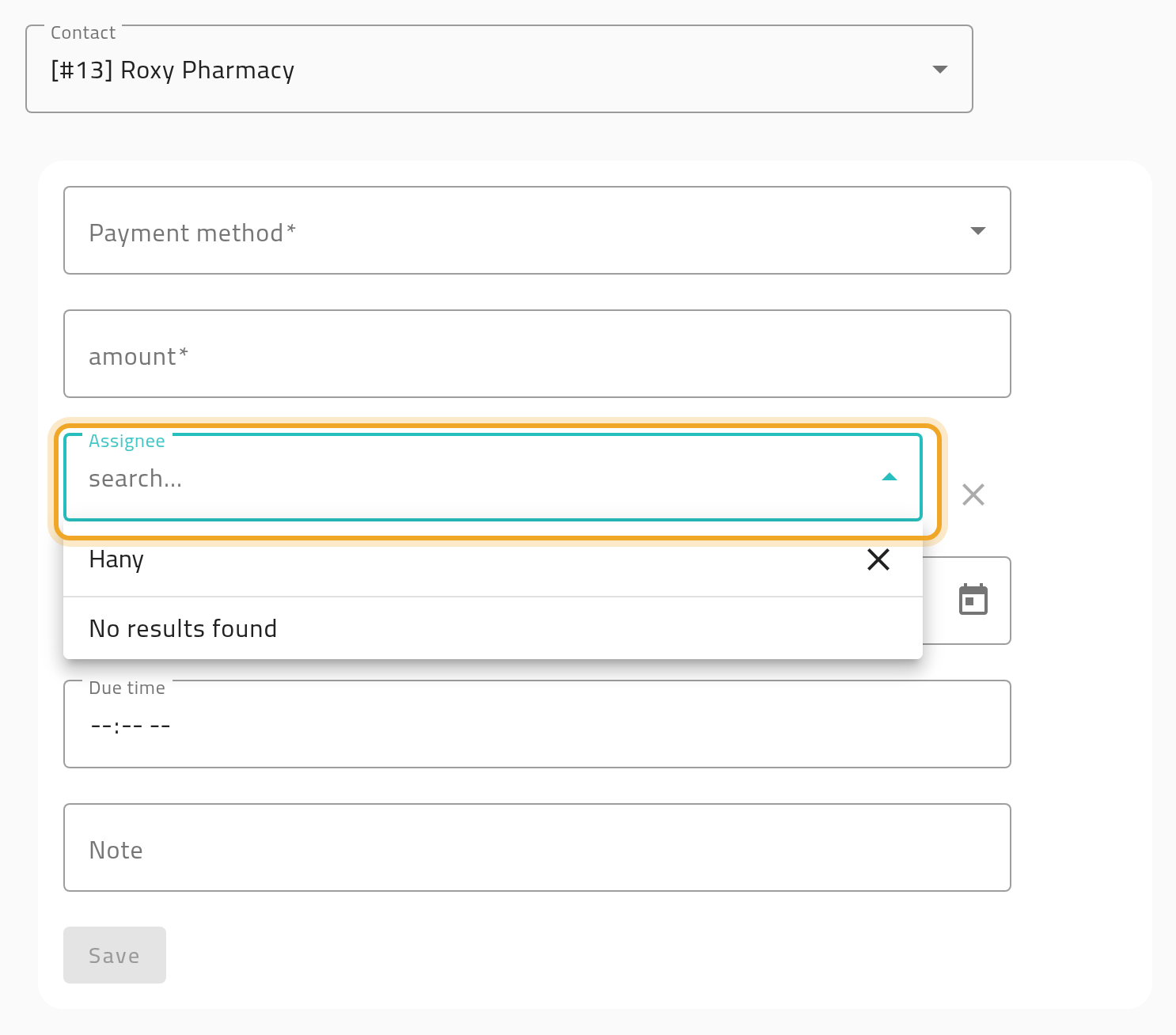
Section titled “What can go wrong”The assignee list shows “No results found” even for someone you expect to see
Section titled “The assignee list shows “No results found” even for someone you expect to see”Assignability comes from the person’s role, not from their permissions or account level — even a super-user account will not appear unless their role is marked assignable. Ask your administrator to check the role.
The request does not close after the rep collects the full amount
Section titled “The request does not close after the rep collects the full amount”Your workspace’s auto-close settings control this independently for cash collections and for full-amount collection — either one may be off. The request still shows the collection either way; it just needs a manual status change if auto-close is off.
A cash request closed even though the rep collected less than the full amount
Section titled “A cash request closed even though the rep collected less than the full amount”This is intended. A cash request asks for a specific amount on a specific date, so once the rep has collected cash the request counts as carried out — the closing does not check the amount against the balance. If money is still outstanding, raise a new request, or reopen this one with a new date. A cheque request behaves the other way: it represents collecting the cheque itself, so it stays open until the cheque is fully collected, and it can be settled in several instalments by any method.