
Plan your team's day
Build a visit schedule for one of your reps, the same way you’d build your own — plus approve or disapprove plans your reps submit themselves.
Before you start
Section titled “Before you start”- You need the
visits:visits:planning/*permissions (create, edit, and related planning scopes) to build plans, and the planning approve permission to approve or disapprove them. - You can only plan for reps you manage, and only for today or a future date. Your assignee list includes yourself plus your managed reps.
- Each person can have only one plan per day, and a day’s plan locks once its date has passed.
- Open visit planning.
- Pick the rep you’re planning for (or yourself), and the date.
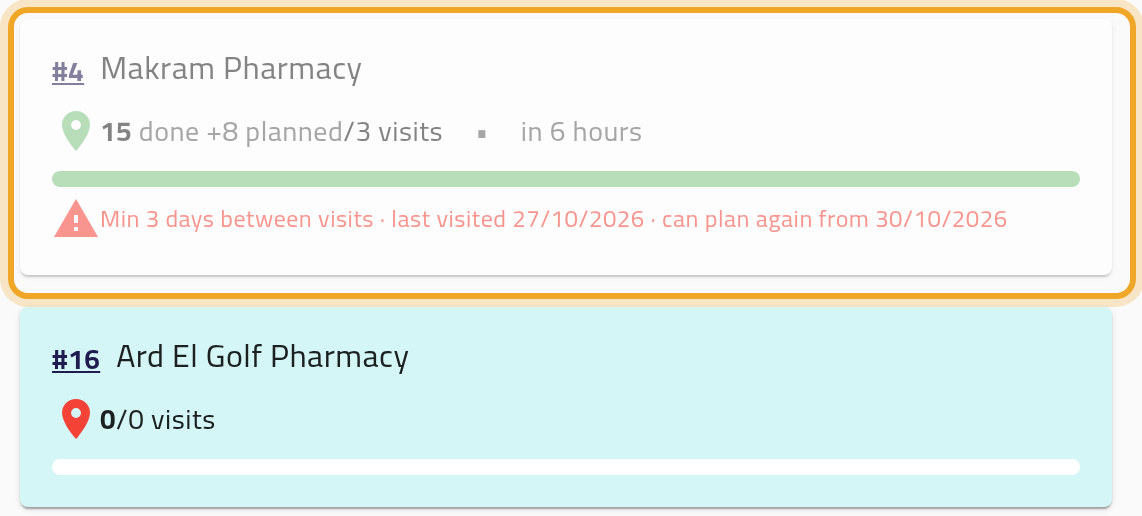
- Add customers — up to 100 per plan. For each one you can optionally set a visit template and a time of day. A customer visited too recently under your workspace’s re-visit rules carries a note — “Min N days between visits · last visited date · can plan again from date” — and, if your workspace blocks early re-visits, is greyed out and can’t be added.
- Save.
- If you hold both the planning approve and edit permissions, the plan you just built is approved automatically. Approving a plan (yours or a rep’s) turns its entries into planned visits on that person’s agenda; disapproving removes any that haven’t been recorded yet.
What can go wrong
Section titled “What can go wrong”A customer is greyed out and can’t be added for your rep
Section titled “A customer is greyed out and can’t be added for your rep”Your workspace enforces a minimum number of days between visits to the same customer, and this customer was visited too recently by this rep. The note under the customer says when they can be planned again. If your workspace only warns, the customer can still be added, but the visit will need approval.
A rep’s plan is waiting on you
Section titled “A rep’s plan is waiting on you”If a rep doesn’t hold the planning approve permission, their plans stay unapproved — the plan’s status (1) still shows its first state, and its visits won’t appear as start-able — until you or another manager approves it with the approve button (2).

Saving fails because a template isn’t available for a customer
Section titled “Saving fails because a template isn’t available for a customer”The template you set on a visit must be one this rep’s role may use for that customer. If it isn’t, saving is refused and the message names the template, the customer and the role. Pick another template for that visit, or leave the template empty.
You can’t edit a plan for a date that’s already passed
Section titled “You can’t edit a plan for a date that’s already passed”Once the date is in the past, the plan locks completely for that rep, the same as it would for your own.
Saving fails after you remove a customer the rep already visited
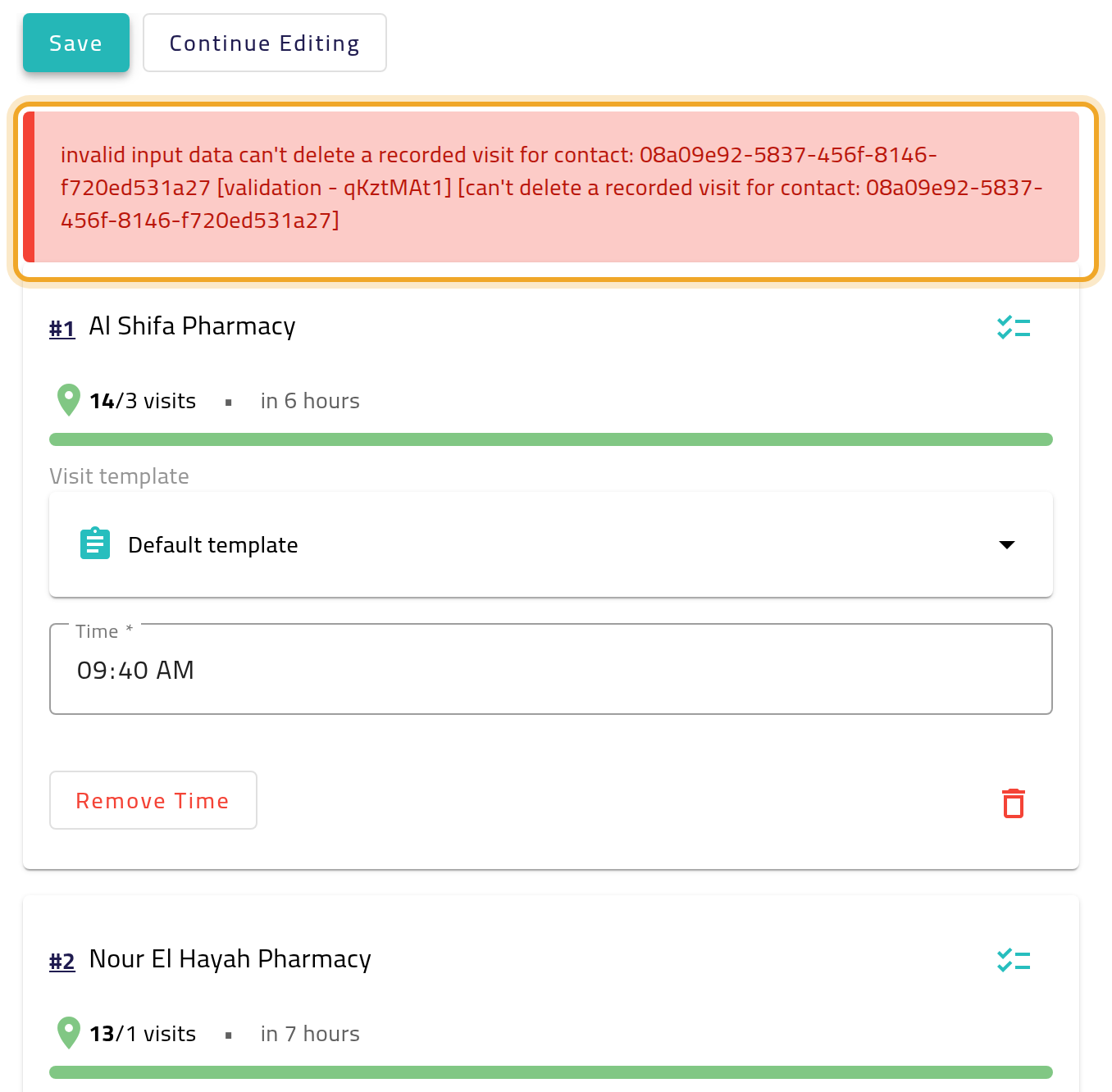
Section titled “Saving fails after you remove a customer the rep already visited”The plan editor lets you remove any customer, but if the rep has already recorded that customer’s visit, saving the plan is refused with a technical message. Put the customer back and save again — only unrecorded slots can be removed.